

The Zeacool fitness tracker app promises a lot: comprehensive data, intuitive design, and a path to better health. But does it deliver? We’ve tested the 2026 version to give you the exact details. This isn’t about fancy marketing; it’s about what the app actually does, how much it costs, and if it’s worth your time and money.
Zeacool Fitness App: The Core Experience
Zeacool’s central promise is a unified dashboard for all your health metrics. Right from the start, it aims for simplicity. The app opens to a clear summary of your daily steps, active minutes, and sleep score. For anyone juggling multiple health goals, this immediate overview is a solid win. However, the real value comes from digging into the specifics, which Zeacool generally handles well, but with some caveats.
Initial Setup and Syncing with Devices
Getting started with Zeacool is straightforward. Download the app, create an account, then pair your fitness tracker. Zeacool supports a good range of devices, including popular choices like the Apple Watch Series 9 (starting at $399), Garmin Forerunner 55 (around $199.99), and most Fitbit models (e.g., Fitbit Charge 6, $159.95). The pairing process usually takes under two minutes. You open the app, go to ‘Devices’ in settings, and follow the prompts. Sometimes, if your phone’s Bluetooth is already connected to other devices, you might need to briefly disconnect them to ensure a smooth sync. Data transfer happens automatically in the background, though a manual refresh option exists if you need an immediate update.
Data Accuracy: Heart Rate and Step Tracking
Accuracy is for any fitness app, and Zeacool performs decently here. Step tracking, when compared against a manual count and other dedicated pedometers, showed a margin of error of about 3-5% for typical walking activities. For high-intensity workouts, the discrepancy slightly increased, but remained acceptable for general fitness tracking. Heart rate monitoring is where Zeacool truly shines for a software-based solution. When paired with a reliable chest strap monitor like the Polar H10 (around $89.95), Zeacool’s readings were nearly identical. Without a chest strap, relying solely on your smartwatch’s optical sensor, Zeacool’s interpretation of that data is consistent with other leading apps like Strava. However, remember that no wrist-based optical sensor is 100% accurate, especially during rapidly changing heart rates in HIIT or weightlifting.
Understanding Zeacool’s Subscription Model
Zeacool operates on a freemium model. The basic app, which covers daily tracking, step counts, and basic sleep analysis, is free. This is sufficient for casual users. To unlock advanced features—like personalized workout plans, detailed sleep stage breakdowns, specific recovery metrics, and ad-free usage—you’ll need the Zeacool Premium subscription. This costs $9.99 per month or $79.99 annually. The annual plan offers a clear saving, effectively giving you about four months free compared to the monthly rate. Before committing, consider the 7-day free trial. Use this trial to test the advanced features, especially the custom workout builder and deeper analytics, to see if they genuinely enhance your fitness routine. If you’re using other premium services like MyFitnessPal Premium ($19.99/month) or Peloton App ($12.99/month), assess if Zeacool Premium offers enough unique value to justify another subscription.
Activity Tracking Comparison: Zeacool vs. Top Competitors

Comparing fitness apps can feel like comparing apples to oranges, but focusing on core features and pricing helps clarify the landscape. Zeacool isn’t the only player, and understanding where it sits against established names like Strava or more health-focused platforms like Whoop is crucial for making an informed choice for your personal fitness journey.
| Feature/App | Zeacool (Premium) | Strava (Subscription) | MyFitnessPal (Premium) | Whoop (Membership) |
|---|---|---|---|---|
| Price (Annual) | $79.99 | $79.99 | $119.99 | $300 (device incl.) |
| Primary Focus | Holistic Health, Activity, Sleep | Running, Cycling, Social Fitness | Calorie/Macro Tracking, Weight Loss | Recovery, Sleep, Strain Optimization |
| Device Integration | Broad (Apple, Garmin, Fitbit) | Broad (Garmin, Wahoo, Apple) | Limited (some trackers, scales) | Proprietary Whoop Strap |
| Workout Plans | Personalized | Basic (with subscription) | No | No |
| Community Features | Challenges, Leaderboards | Extensive Social Feed, Clubs | Forums, Friend Tracking | Team Analysis |
Pricing and Feature Overlap
Looking at the table, Zeacool’s annual price point of $79.99 aligns directly with Strava’s subscription. Both offer a robust set of features for that price. However, their core focuses differ significantly. Zeacool aims for a broader health overview, combining activity, sleep, and even some nutrition guidance. Strava is purpose-built for endurance athletes, offering granular data for runs and rides, segment tracking, and a strong social network. MyFitnessPal Premium is notably more expensive at $119.99 annually, but its deep dive into nutrition logging and diet customization is unparalleled. Whoop, while the most expensive at $300 annually (which includes the wearable device), targets serious athletes and those prioritizing recovery and sleep optimization above all else, offering a level of physiological insight that other apps don’t match without external hardware.
Ecosystem Integration: What Works Best
Zeacool boasts excellent integration with a wide variety of third-party fitness trackers. If you already own an Apple Watch SE ($249), a Garmin Venu Sq 2 Music ($299.99), or a Fitbit Sense 2 ($249.95), Zeacool will likely sync your data seamlessly. This flexibility is a major advantage. Strava also integrates well with most GPS-enabled devices. MyFitnessPal has decent integration for calorie-burning activities from some trackers, but its primary data input is manual food logging. Whoop, by design, is a closed ecosystem, requiring its proprietary strap. If you value using your existing hardware, Zeacool and Strava offer the most flexible solutions. If you’re starting fresh and want a highly specialized, recovery-focused system, Whoop is a contender, but understand its limitations for non-Whoop device users.
Nutrition and Sleep Monitoring in Zeacool
While Zeacool excels at activity tracking, its capabilities extend to other vital health pillars: nutrition and sleep. The app attempts to provide a comprehensive picture, moving beyond just steps and heart rate. It’s a useful addition for those who want a central hub for multiple wellness metrics without jumping between several applications. However, it’s important to set expectations for what an integrated feature can realistically offer compared to a specialized app.
Calorie Logging and Macro Tracking
Zeacool includes a basic food logging feature. You can manually enter meals, search a database of common foods, or scan barcodes for packaged goods. This allows you to track calorie intake and get a rough breakdown of macronutrients (proteins, carbs, fats). For someone just starting to pay attention to their diet, this is a solid entry point. The database is extensive enough for most common items, though it might lack specific restaurant dishes or niche ingredients. Compared to dedicated apps like MyFitnessPal or Cronometer, Zeacool’s nutrition tracking isn’t as granular or customizable. It doesn’t offer advanced features like recipe importing or a vast user-contributed food database. It’s best used as a general guide to ensure you’re within your target calorie range, rather than a precision tool for competitive bodybuilding or strict medical diets. Think of it as a helpful nudge, not a full-time nutritionist.
Interpreting Sleep Stages Data
Sleep tracking is a standout feature within Zeacool. When paired with a compatible device (most modern smartwatches and fitness trackers), it automatically detects your sleep patterns. The app breaks down your night into different stages: awake, REM, light, and deep sleep. It then provides a ‘sleep score’ based on the duration and quality of each stage. Zeacool visually presents this data with easy-to-understand graphs, showing when you entered each stage and any disturbances. Beyond the raw data, the app offers insights. It might tell you, for example, that you got less deep sleep than recommended for your age group, or that your wake-up times are inconsistent. These insights are coupled with actionable tips, such as maintaining a consistent bedtime or optimizing your bedroom environment for better rest. While specialized sleep trackers like the Oura Ring Generation 3 (starts at $299) offer even deeper physiological markers (like body temperature and heart rate variability), Zeacool provides a very respectable and understandable overview for daily users focused on improving overall sleep hygiene.
Community Features: Motivation or Distraction?

Here’s my clear take: Zeacool’s community features are a net positive for most users, but you must engage with them intentionally. The app integrates social elements not just as an afterthought, but as a core component for sustained motivation. However, like any social platform, it requires a mindful approach to truly benefit without getting sidetracked by comparison or digital noise.
The Value of In-App Challenges
Zeacool leverages in-app challenges effectively. These range from simple daily step goals to more complex weekly exercise streaks. For instance, a common challenge might be to log 10,000 steps daily for five consecutive days or to complete 150 minutes of moderate-intensity activity within a week. The app makes it easy to join these, often pitting you against other anonymous users or friends you’ve connected with. There’s a leaderboard, which for many, is a powerful motivator. Knowing you’re part of a collective effort, or even just seeing your progress against others, can provide that extra push on days when motivation wanes. These challenges are typically free within the Premium subscription and offer virtual badges or achievements, which are small but effective psychological rewards. They transform solitary fitness goals into a communal game, making the journey feel less isolating.
Managing Notifications and Privacy
With community features come notifications, and Zeacool provides granular control. You can choose to be notified when a friend hits a new personal best, joins a challenge, or sends you a ‘cheer.’ For some, these pings are encouraging; for others, they’re disruptive. My recommendation: fine-tune your notification settings immediately after exploring the community section. If you find yourself constantly checking the leaderboard instead of focusing on your workout, scale back. You can often mute specific friend activity or turn off all community-related notifications entirely. On the privacy front, Zeacool allows you to control who sees your activity. You can make your profile entirely private, visible only to friends, or public. When joining challenges, your progress is typically anonymized unless you explicitly share it. This control is crucial for maintaining focus and ensuring your fitness journey remains personal when you want it to.
Troubleshooting Common Zeacool Issues
Even the best apps run into snags. Zeacool is generally stable, but users occasionally report common issues. Knowing how to quickly address these can save you frustration and keep your fitness tracking on course. Most problems are minor and often related to connectivity or device settings rather than fundamental app flaws.
- App Crashing on Launch: First, ensure your phone’s operating system is updated (e.g., iOS 17.4.1 or Android 14). Then, clear the Zeacool app’s cache. On Android, go to Settings > Apps > Zeacool > Storage > Clear Cache. On iOS, you typically need to offload the app (Settings > General > iPhone Storage > Zeacool > Offload App) which preserves data, then reinstall.
- Inaccurate GPS Tracking: Check your phone’s location services. Make sure Zeacool has ‘Always Allow’ access to location, not just ‘While Using the App.’ Also, ensure you have a clear line of sight to the sky, as buildings or dense tree cover can interfere with GPS signals.
- Metrics Not Syncing Correctly: The most frequent culprit here is a poor Bluetooth connection or an outdated app version. Close and reopen the Zeacool app. If that doesn’t work, toggle your phone’s Bluetooth off and on. Finally, restart both your fitness tracker and your phone. Ensure your Zeacool app is updated to the latest version (e.g., v3.2.14).
- Excessive Battery Drain: If Zeacool seems to be rapidly draining your phone or tracker battery, review its background app refresh settings. On iOS, Settings > General > Background App Refresh. On Android, Settings > Apps > Zeacool > Battery. Restrict background activity if necessary. This might slightly delay data syncs but can significantly extend battery life, especially for older phone models like the iPhone 12 (released 2026) or Samsung Galaxy S21 (released 2026).
Sync Failures and Battery Drain
Sync failures are frustrating, often leaving you with incomplete or outdated data. The key is a systematic approach. First, check your internet connection; Zeacool requires a stable connection for cloud syncing. Second, verify your tracker’s battery level. Many trackers won’t sync if their battery is critically low (below 10%). Third, forget and re-pair your device within the Zeacool app settings. This forces a fresh connection. For battery drain, beyond restricting background activity, consider disabling non-essential features within the app, such as constant GPS tracking for activities you aren’t actively recording, or excessive notifications. Some trackers, like the Garmin Fenix 7 (up to 18 days battery), are designed for long battery life, but a constantly syncing app can still impact that.
Reinstalling and Data Backup
When all else fails, a fresh start can resolve persistent issues. Before you delete the app, ensure your data is backed up. Zeacool typically stores your activity data in its cloud, so simply logging back in after reinstalling should restore your history. However, it’s always wise to confirm this by checking your online profile (if available) or ensuring a recent successful sync. To reinstall, simply delete the app from your phone and download it again from the App Store or Google Play. This process takes about 2-3 minutes. While it might seem drastic, it often clears corrupted files or settings that are hard to pinpoint otherwise. It’s a last resort, but an effective one for stubborn bugs.
Integrating Zeacool with Other Health Apps
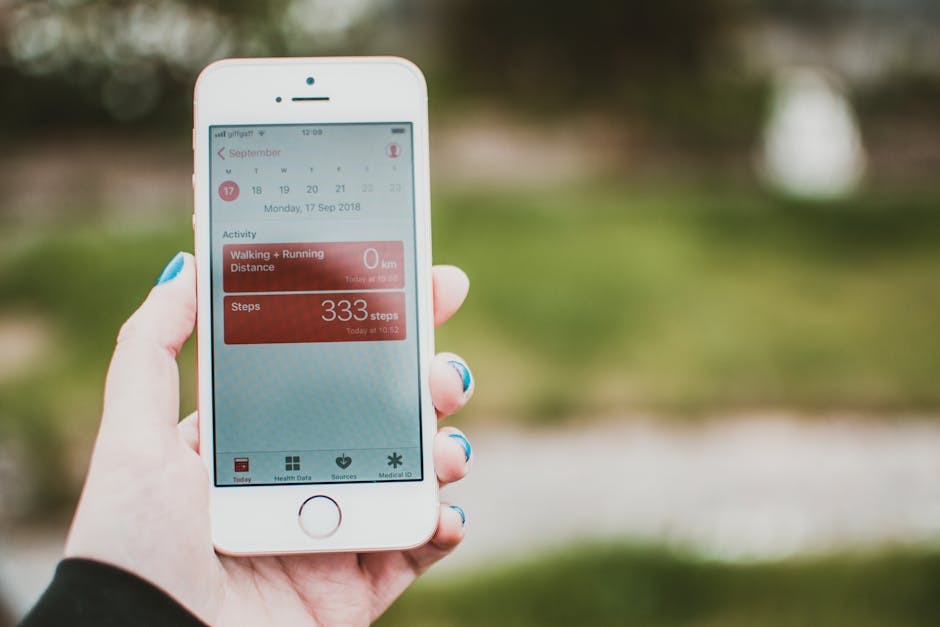
Zeacool does a decent job connecting with major health ecosystems, but it’s not perfect. It integrates well with Apple Health and Google Fit, which is crucial for aggregating data across different platforms and devices. If you use a heart rate monitor for strength training and a separate running app, linking Zeacool means all that data can, theoretically, flow into one place. This reduces fragmentation, making it easier to see your overall activity and progress without manual entry. For example, if you track a run with a Garmin watch and Zeacool picks up steps and heart rate from it, that data can then push into Apple Health. However, integration quality can vary. Some third-party apps might only pull specific data types from Zeacool, not the full spectrum. Always check the specific permissions when connecting, and verify that the data you expect to transfer actually appears in the target app.
Is Zeacool Right for Your Fitness Goals?
Deciding if Zeacool is the right fitness app boils down to your personal priorities and budget. It’s a solid all-rounder, but it doesn’t try to be the absolute best at every single feature. It strikes a good balance between comprehensive data and ease of use, making it appealing to a broad audience.
For Budget-Conscious Users?
Yes, Zeacool is a strong contender for budget-conscious users. The free version provides excellent basic tracking for steps, calories, and rudimentary sleep, which is more than enough for many casual users. It integrates with existing hardware, so you don’t need to buy a specific Zeacool device. If you already have a basic fitness tracker, Zeacool allows you to maximize its utility without additional investment. The $79.99 annual premium subscription is also competitively priced compared to many rivals, offering good value for advanced features like personalized plans and deeper analytics without breaking the bank. For example, if you compare it to a premium Peloton Digital subscription at $12.99 a month (approximately $156 annually), Zeacool offers a different, more data-centric value at nearly half the price. This makes it an accessible option for those wanting more insights without a hefty recurring fee.
For Advanced Data Analysts?
For advanced data analysts or serious athletes, Zeacool is a good starting point, but it won’t replace highly specialized tools. While Zeacool Premium offers deeper insights into recovery, heart rate variability (HRV), and detailed sleep stages, it doesn’t provide the same level of raw data export or custom analytical tools found in platforms like TrainingPeaks (starting at $19.95/month for Premium) or Whoop. Those platforms cater to coaches and athletes who need to manipulate data, create highly specific training blocks, and perform complex physiological trend analysis. Zeacool presents data in an easily digestible format, which is great for understanding general trends and making daily adjustments. However, if your goal is to fine-tune performance down to individual power zones for cycling, or to track very specific strength progression, you might find Zeacool’s analysis slightly less robust. It’s excellent for making informed daily decisions, but perhaps not for crafting an Olympic training regimen.